At a glance
- Does
- Lists every emoji with its name, group and search keywords
- Emits
- records, count
- Needs
- Nothing, no permission prompt and no network
Set it up
Drop it in front of a Pick from List with Layout set to Grid, then Paste Text behind Selected, and you have an emoji picker on a hotkey. The Emoji picker template wires all of it.
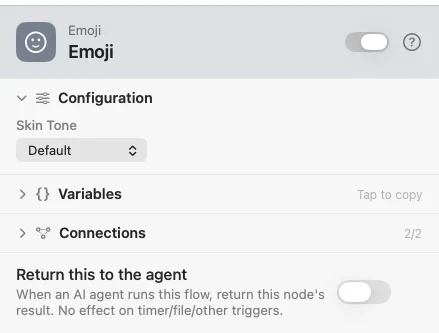
Configure
| Field | Default | What it does |
|---|---|---|
| Skin Tone | Default | Replaces the emoji on rows that have skin tones and leaves the others alone. Changing it also drops recent picks of toned emoji, because a recent is remembered by what it looks like. |
Output
Every key is available downstream as {{key}}.
| Key | Type | Value |
|---|---|---|
records | Array | One {emoji, name, group, keywords} row per emoji, in Unicode order |
count | Number | How many rows records holds |
Example: an emoji picker on a hotkey
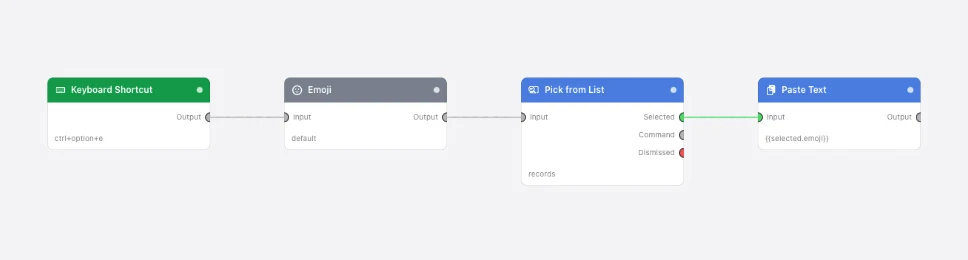
Paste this into the Flow Builder to get the same flow:
When I press Control-Option-E, list every emoji, let me pick one from a small
Pick from List grid grouped by group with recent picks first, searching name and
keywords, and paste the emoji I picked into the app in front.
Good to know
- The catalog covers what the oldest supported macOS can draw, so no cell is ever a blank box.