Sharing a flow
Open the flow and click Submit in the canvas toolbar; it stays greyed out until the flow has a node. The first time you pick a screen name — pseudonymous, so you are credited without your email ever being shown. Publishing needs an activated license; a trial can build and run flows but not share them.
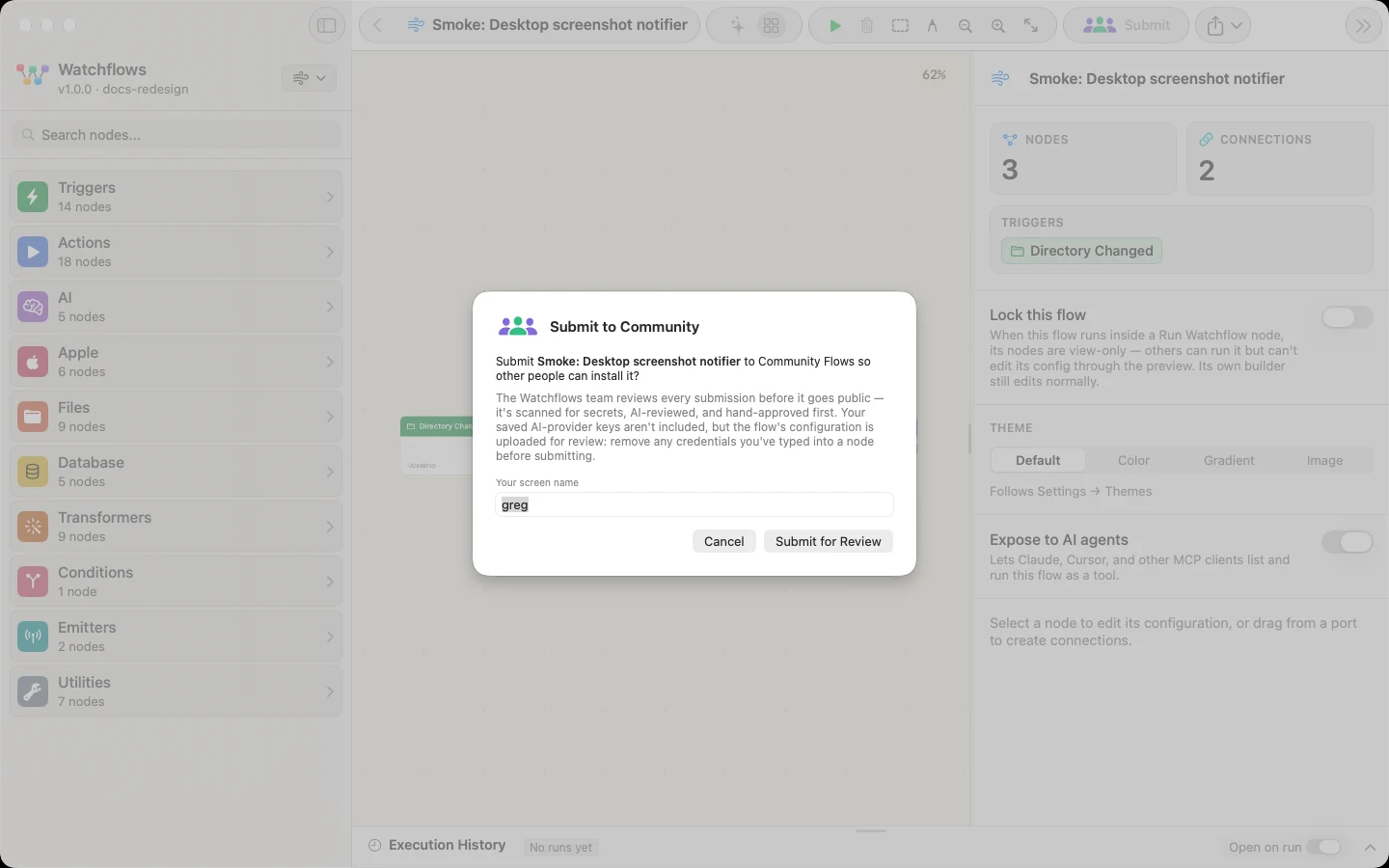
You get an "Under review" confirmation, then an email either way — when it goes live, or when it could not be published. Sharing is capped at 3 flows a day, 20 a month, and 5 awaiting review at once.
What is checked first
The deterministic checks run before any model sees the flow:
- An embedded secret blocks the submission outright — a published secret cannot be un-published.
- Home-folder paths are redacted:
/Users/yournamebecomes/Users/«USER», so your username never travels. - Destructive actions are allowed, and flagged. A flow that can modify your Mac is fine to share; its card says so.
- An AI reviews for malice, then a person approves. The AI verdict is advisory — automated checks can only auto-reject, never publish.
Only the flow itself travels: name, nodes, connections, node settings, canvas background. Run history and AI cost data are not in the export at all, and a Public Webhook node's channel id and secret are stripped on the way out.
Good to know
Installing costs nothing. Browse and install in the app, offline, from a catalog baked into Watchflows. A flow's AI nodes arrive without the author's provider and model, so it runs on yours and you pay only for your own runs.
Published is published. A takedown removes a flow and blocklists it, and a submitter can be banned or their data erased on request — but treat anything you share as public from the moment it is approved.