At a glance
- Fires when
- The chosen app launches, quits, or activates
- Emits
- App name, event, bundle id, timestamp
- Watches
- One app per node
Set it up
Choose the app with the picker, then the moment you mean.
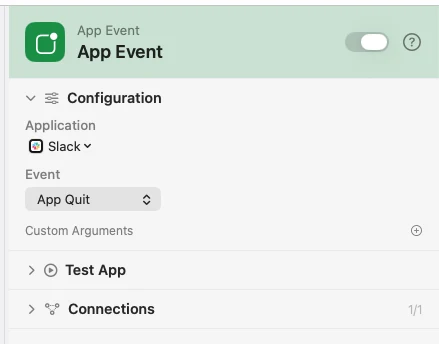
Configure
| Field | Default | What it does |
|---|---|---|
| Application | — | The app to watch. Pick it from the list. |
| Event | App Launched | App Launched, App Quit, or App Activated. |
| Custom Arguments | — | Extra key-value pairs merged into the payload. |
Output
Every key is available downstream as {{key}}.
| Key | Type | Value |
|---|---|---|
appName | String | Name of the application |
event | String | launch, quit, or activate |
bundleID | String | The app's bundle identifier |
timestamp | String | When the event happened, ISO 8601 |
Example: wind down when Slack quits
App Event watches Slack for App Quit. Template writes the line. Notification shows it.
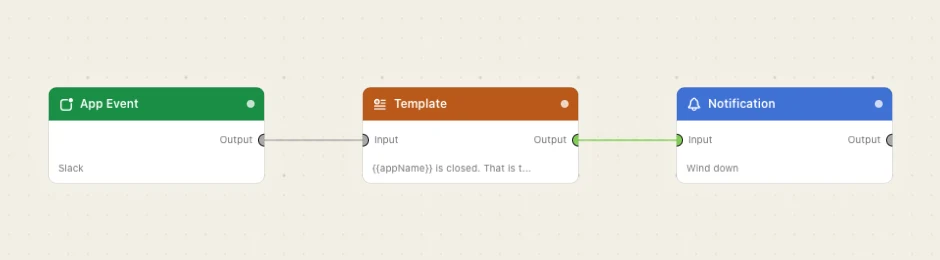
Paste this into the Flow Builder to get the same flow:
When Slack quits, notify me that the day is done.
Good to know
The match is on the app's display name, compared case-insensitively — not on the bundle id, though bundleID still comes back in the payload.
App Activated fires every time the app comes forward, which during ordinary window-switching is often. Use App Launched when you mean "once, at start".