At a glance
- Emits
- opened, url
- Allowed by default
- http, https and mailto
Set it up
Type the link, or build it from upstream data with {{...}}. The node resolves the template, then hands the result to macOS.
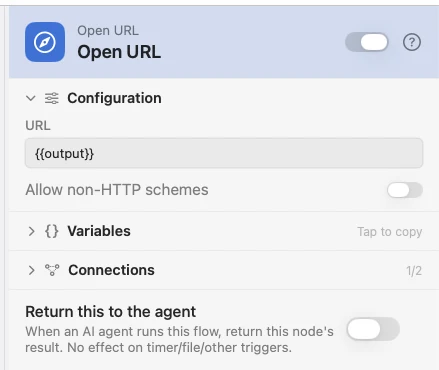
Configure
| Field | Default | What it does |
|---|---|---|
| URL | — | The link to open. Supports {{var}}. A URL with no scheme fails the node. |
| Allow non-HTTP schemes | Off | Permits anything outside http, https and mailto — file://, vnc://, a custom app scheme. |
Output
| Key | Type | Value |
|---|---|---|
opened | Boolean | Whether macOS accepted the URL |
url | String | The resolved link, after {{...}} |
Example: open the page a script found
A hotkey runs a script that prints a URL, and Open URL opens whatever it printed.
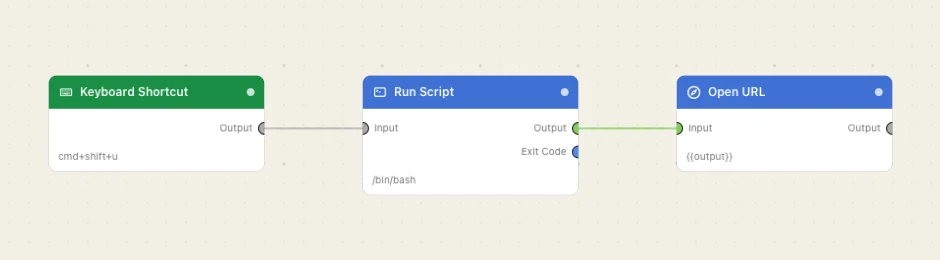
Paste this into the Flow Builder to get the same flow:
On a keyboard shortcut, run a script that prints a URL and open it in my browser.
Good to know
Anything but http, https and mailto is refused, with the scheme named in the error. The toggle is per node, not a global setting.