At a glance
- Emits
- output, exitCode, error
- Payload arrives as
- $PAYLOAD_<key> environment variables
Set it up
Pick an interpreter and write the script. A payload key called fileName is $PAYLOAD_fileName; objects and arrays arrive as JSON.
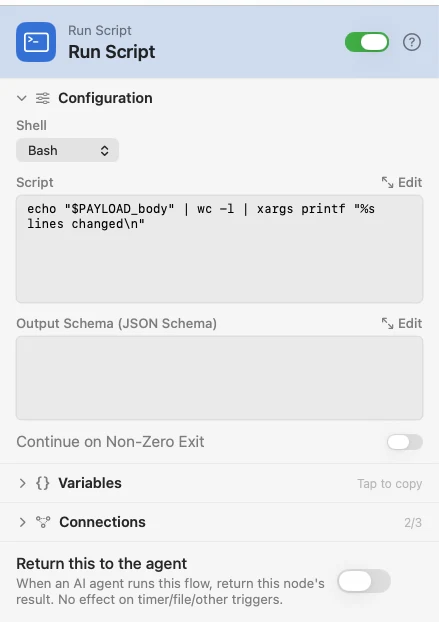
Press ⤢ Edit above the editor to open the script in the full workbench: the script, its output schema, test values for a dry run, and Explain this code, which asks an AI what the script does.
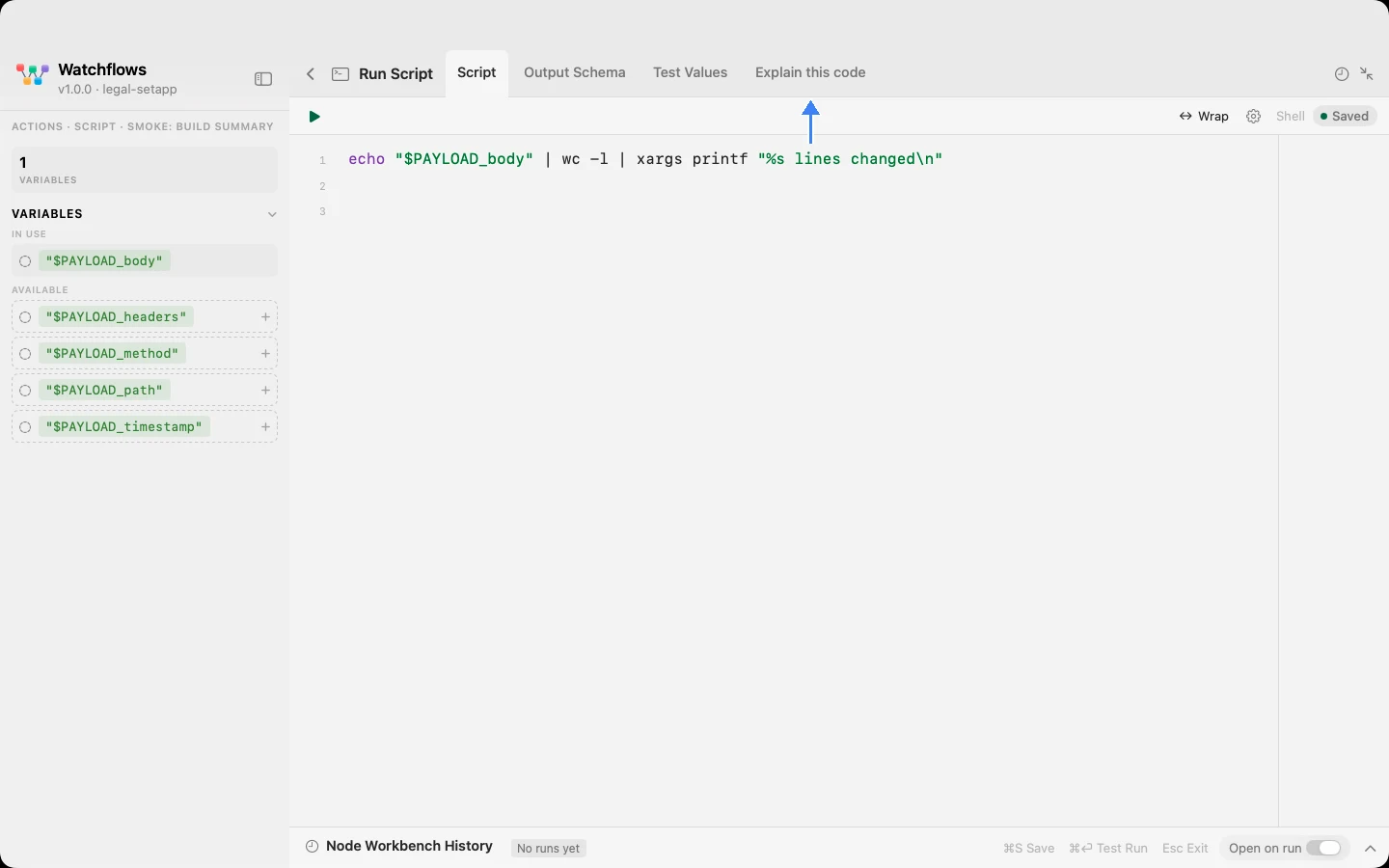
Configure
| Field | Default | What it does |
|---|---|---|
| Shell | /bin/bash | Bash, Zsh, or the system /usr/bin/python3, which macOS supplies once the Xcode Command Line Tools are installed. For a Homebrew or pyenv Python, choose Bash and call your own. |
| Script | — | The body. Homebrew and ~/.local/bin are on PATH, so installed CLIs resolve even when the app was launched from Finder. |
| Output Schema (JSON Schema) | — | Optional. Validates the script's JSON stdout on a successful exit, failing the run on a mismatch, and advertises {{output.<prop>}} downstream. A failed script's stdout is not checked when Continue on Non-Zero Exit is on. |
| Continue on Non-Zero Exit | Off | Off, a non-zero exit ends the run. On, the node emits output, exitCode and error, and the flow carries on. |
Output
| Key | Type | Value |
|---|---|---|
output | String | Everything the script wrote to stdout |
exitCode | Number | The exit status — 0 is success |
error | String | stderr of a failed run; empty on success. Only with Continue on Non-Zero Exit on |
Exit Code is its own outlet too, so you can branch on it without a Compare in between.
Branching on the outcome
Turn on Continue on Non-Zero Exit and put a Condition on exitCode after the script. A build script that exits 2 takes the Condition's No branch, and a Notification there with Build failed: {{error}} tells you why.
Example: run a script and show what it said
A webhook fires, the script does the work, a Notification reports its stdout.
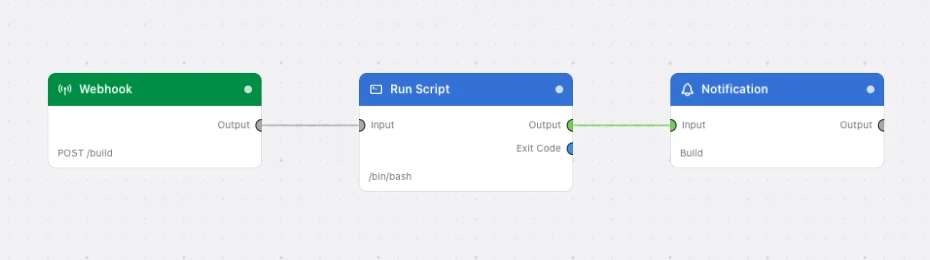
Paste this into the Flow Builder to get the same flow:
When a webhook fires, run a bash script that prints a one-line summary, and notify me with what it printed.
Good to know
{{...}} is deliberately not expanded in the script body. Templating upstream text into a shell command is how a webhook body becomes a command. The payload arrives as environment variables instead — quote them ("$PAYLOAD_fileName") and you are safe.
A destructive body is flagged, not blocked. rm, dd, sudo, mkfs, rmdir, shutdown, diskutil erase, a write to a raw disk device or a fork bomb marks the node destructive and the flow asks you to confirm every arm.
Ask an AI what it does. With a provider configured, Explain this code rates the script, answers questions about it, and can rewrite it back into the node — see Explain This Code.