Export
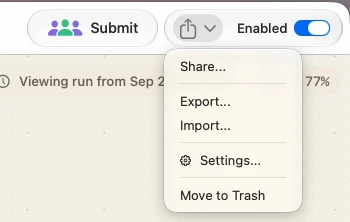
With a flow open, File ▸ Export Flow… (⇧⌘E) saves it wherever you choose. The menu asks the open canvas, so unsaved edits ride along. Dragging a card off the Home window writes the same file to the Desktop, Finder, Mail or Messages; drag several and you get a folder of them. A card's right-click Share… hands it to the system share sheet. The same three commands — Share…, Export…, Import… — sit in the share menu at the right end of an open flow's toolbar.
Import
File ▸ Import Flow… (⇧⌘I) takes .watchflow files and the .json exports older versions wrote, several at a time. Dropping one on Home or double-clicking one in Finder does the same. A single flow gets a confirmation naming it and its node count; confirm and it opens on the canvas. A file holding several is added without the sheet.
Good to know
The file is self-contained. Nodes, connections, every node's configuration and the canvas background image travel with it. An AI node whose provider does not exist on the new Mac falls back to that Mac's default.
A downloaded flow is checked first. A file macOS quarantined — emailed, AirDropped, downloaded — that carries script, file-writing or other destructive nodes lists them and asks before anything is added.