At a glance
- Does
- Hands the path to Launch Services — a PDF to Preview, a PNG to Photos, a .app to itself
- Emits
- opened, filePath
- Works with
- Any path the flow can produce
Set it up
Point File at the path — the picker for a fixed target, or {{filePath}} for whatever the flow just produced.
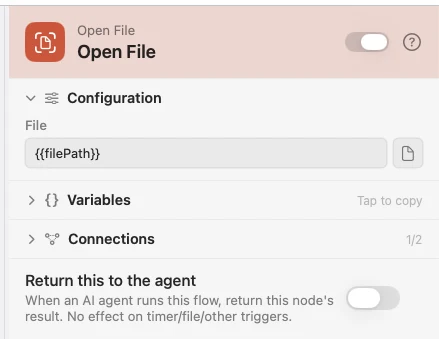
Configure
| Field | Default | What it does |
|---|---|---|
| File | — | The file to open. Supports {{variable}}. |
Output
Every key is available downstream as {{key}}.
| Key | Type | Value |
|---|---|---|
opened | Boolean | Whether the file was opened |
filePath | String | The path that was resolved and opened |
Example: read the report as soon as it exists
An AI node writes a briefing, Write File saves it, and Open File puts it on screen.
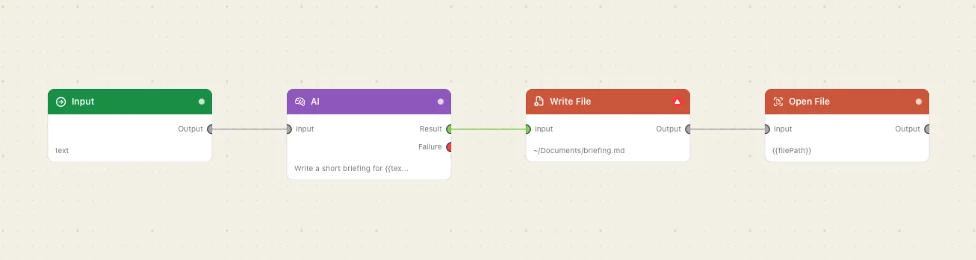
Paste this into the Flow Builder to get the same flow:
Write today's briefing to ~/Documents/briefing.md and open it when it's done.
Good to know
It opens things, it does not wait for them. The flow carries on the moment macOS accepts the path — there is no "user closed the window" signal. Use HTML View when the flow should pause until someone responds.