What you see
Home opens on Your Flows over a line counting whatever is in view — 12 flows · 8 watching · 41 runs total. All three numbers come from the same filtered set.
New Flow sits at the toolbar's left. On the right, the search field (⌘F) filters by name; the node-type filter beside the view switch narrows the list to flows built from a category of node. The field opposite the title searches the community catalog, not your library.
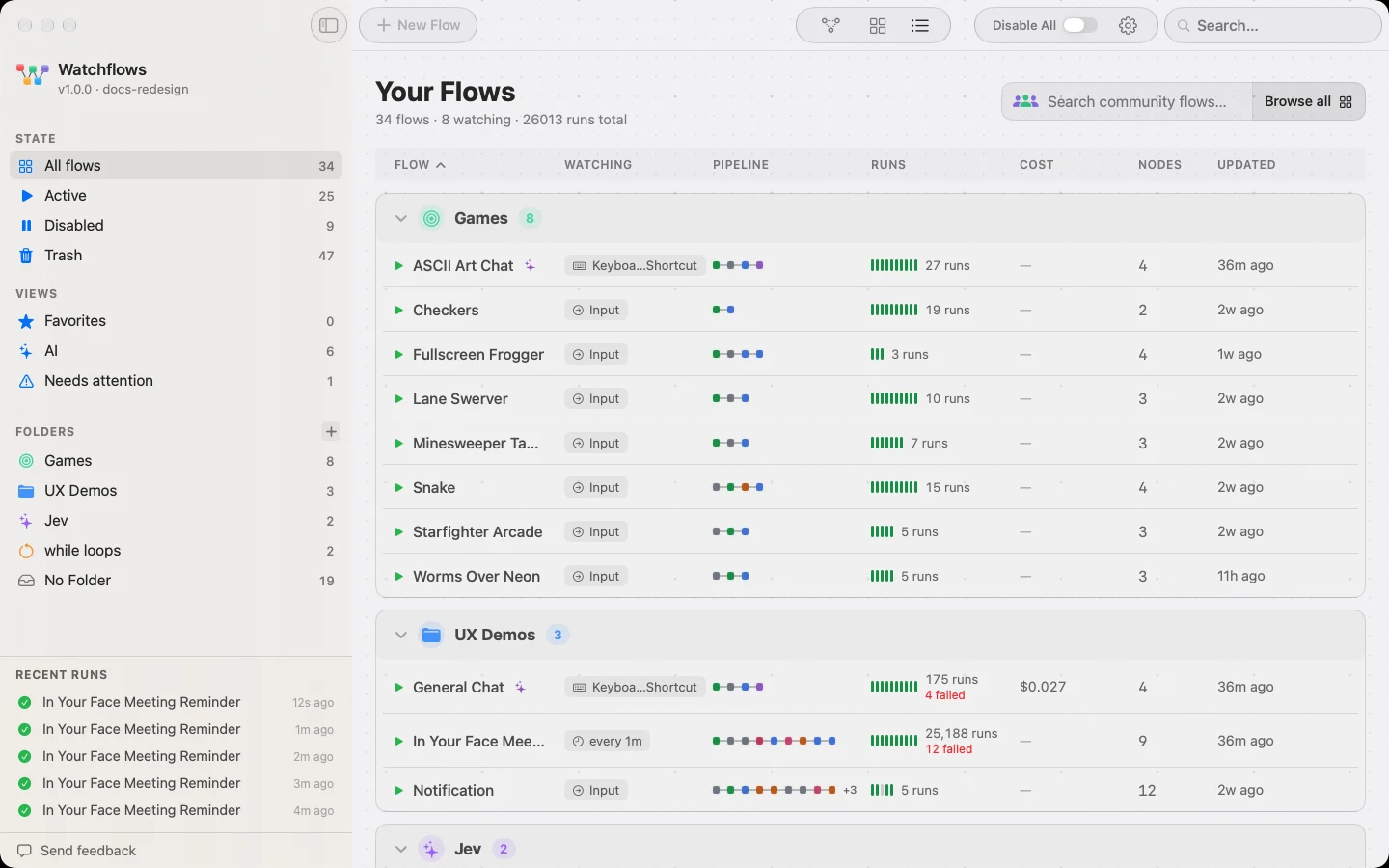
Cards or table
Card view groups flows into containers — one per folder, then No Folder. A running flow stays where it is and its card glows blue until the run ends. A card carries a state glyph, the name, an AI badge when the flow uses a model, a miniature of the pipeline (one dot per node, in canvas colors), and a footer with what it watches, its lifetime AI cost and its run and failure counts.
Table view is the denser read: Flow, Watching, Pipeline, Runs, Cost, Nodes, Updated. Click a header to sort, again to reverse. Sorts by status, runs or cost settle when Home reopens or you pick a sort, never mid-run, so rows stay still while you drag. A running flow's row glows in place, like its card. Status has no column of its own — right-click the Flow header to sort by it. Sections collapse independently.
The sidebar
| Section | Rows |
|---|---|
| State | All flows, Active, Disabled, Trash — where a flow lives |
| Views | Favorites, AI, Needs attention — smart views over the library |
| Folders | Scope to one folder, or drop a card to move it there |
| Recent Runs | The last five; View All opens the full screen |
Dragging a card onto a row moves the flow there. Trash asks first.
Good to know
One click selects, two open. ⇧ and ⌘ extend the selection, ⌘A takes every visible flow, Esc clears it. A slow second click on the only selected card renames it in place.
The glyph is lifecycle, not health. Running, Active or Disabled — a failed last run shows as the red count in the footer instead. Health reads the last ten runs, so one old failure never leaves a flow stuck red.
Disable All is a master switch. It suspends every flow's triggers without changing any flow; turning it off re-arms them.