At a glance
- Takes
- Any payload
- Emits
- The same payload, unchanged, once you resume
- Good for
- Looking at the data before it reaches the node you're debugging
Set it up
Drop it between any two nodes. When the run reaches it, the card shows Continue → and everything downstream waits. Click the card to resume.
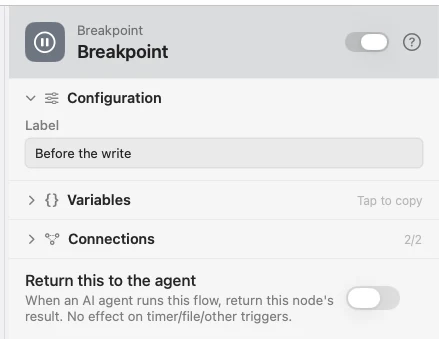
Configure
| Field | Default | What it does |
|---|---|---|
| Label | — | An optional note shown on the card, so two breakpoints in one flow can be told apart. |
Example: look before you write
Input hands the flow a value. Breakpoint holds it. Log records what was there once you continue.
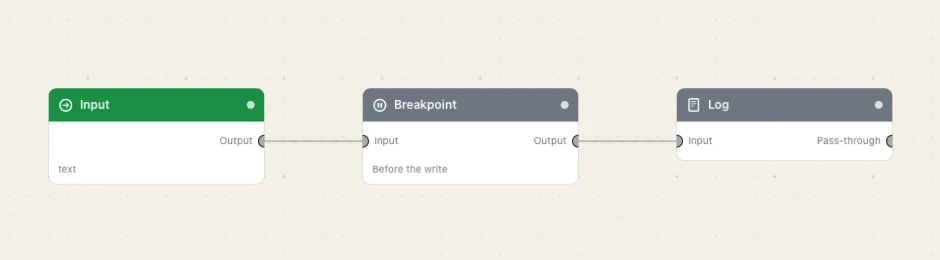
Paste this into the Flow Builder to get the same flow:
Take text from an Input trigger, pause on a breakpoint, then log the payload.
Good to know
Stop releases every paused breakpoint. Pressing ■ resumes them all and tears the run down, so a forgotten breakpoint never strands a flow.