A flow is nodes wired left to right. A trigger starts it, everything downstream reads the payload that arrives, does something with it, and hands on whatever it produced.
Nodes live in the palette down the left of the canvas. It opens on a card per category; click one to drill in and All categories to come back, or type in Search nodes... to find a node across every category at once. Drag a card onto the canvas to place it — dragging is the only way.
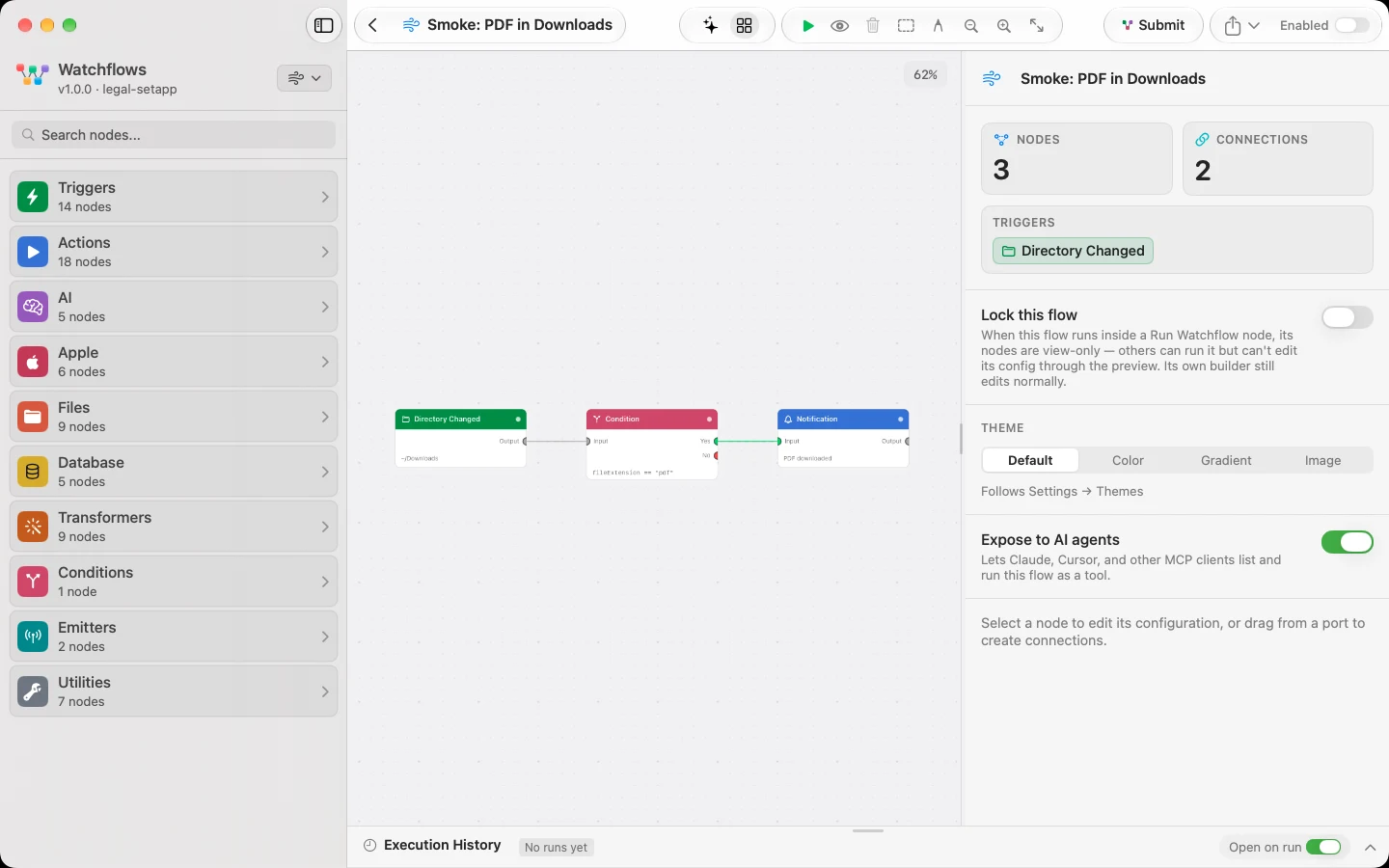
The ten categories
| Category | What it is for |
|---|---|
| Triggers | Start a flow when something happens — a file changes, an app opens, a timer fires, a webhook arrives |
| Actions | Do something on your Mac — run scripts, show notifications, call APIs, ask a question, control other apps |
| AI | Use a language model to classify, transform or analyse your data, or let an agent work a tool loop |
| Apple | Reach into built-in Apple apps — Notes, Reminders, Calendar, Music, and the list of installed apps |
| Files | Work with files and folders — open, move, rename, write, zip, unzip, trash, delete, log |
| Databases | Keep your own rows in a local database — save something, find it again, change it, remove it, or run SQL |
| Transformers | Reshape data as it flows — templates, loops, maths, key mapping, OCR, PDF and image extraction |
| Conditions | Branch the flow — route the payload down Yes or No based on a comparison |
| Emitters | Stream a measurement into the flow on an interval — CPU, memory, disk, battery, or one app's usage |
| Utilities | Support the rest of the flow — delays, timers, logs, breakpoints, JSON viewers, charts, notes |
A node's category is not its type id. Apple Notes is action.apple_notes but sits under Apple, and While is control.while but sits under Transformers. Go by the palette, not the prefix.
Reading a node page
Every node page is laid out the same way:
- At a glance — what it fires on or does, what it emits, what it works with.
- Set it up — where the node goes and what it needs before it will run.
- Configure — every field in the inspector, its default, and what it changes.
- Output — every key the node publishes. Downstream nodes read them as
{{key}}. - Example — a small real flow, plus a prompt you can paste into the Flow Builder to get the same flow.
- Good to know — the gotchas worth knowing before you hit one.
New to this? Start with Getting Started, then Payloads and Port Types — those two explain what travels along the wires and which ports will accept it.