Where it lives
Community Flows sits under Discover in the sidebar. It is a screen, the way Trash and Recent Flow Runs are screens: ‹ Home in the toolbar brings you back, and the grid gets the whole window rather than a box drawn over Home.
The catalog ships inside the app, so browsing, previewing and adding all work offline. Every entry was secret-scanned, capability-checked and read by a person first — see Community Flows.
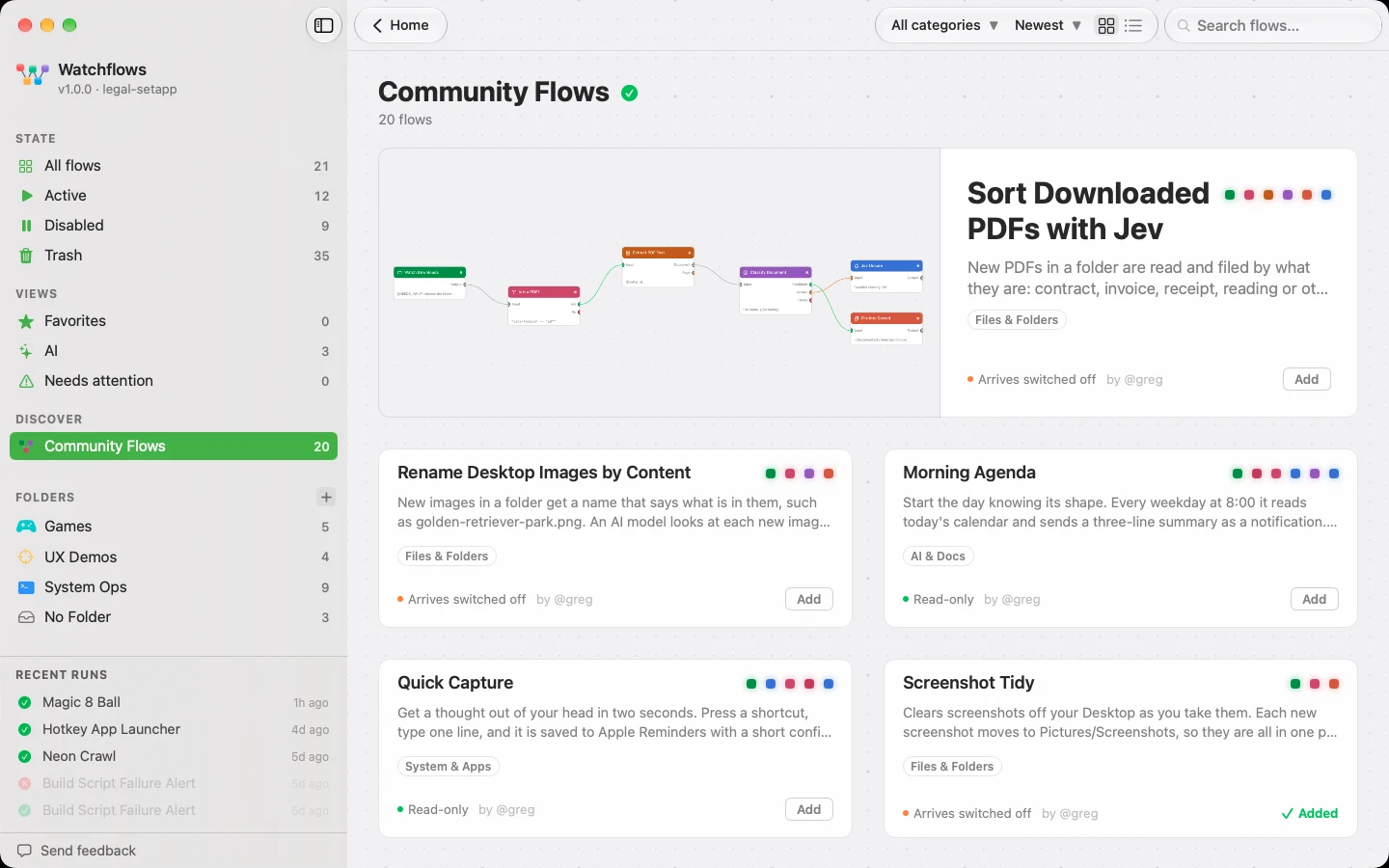
The screen
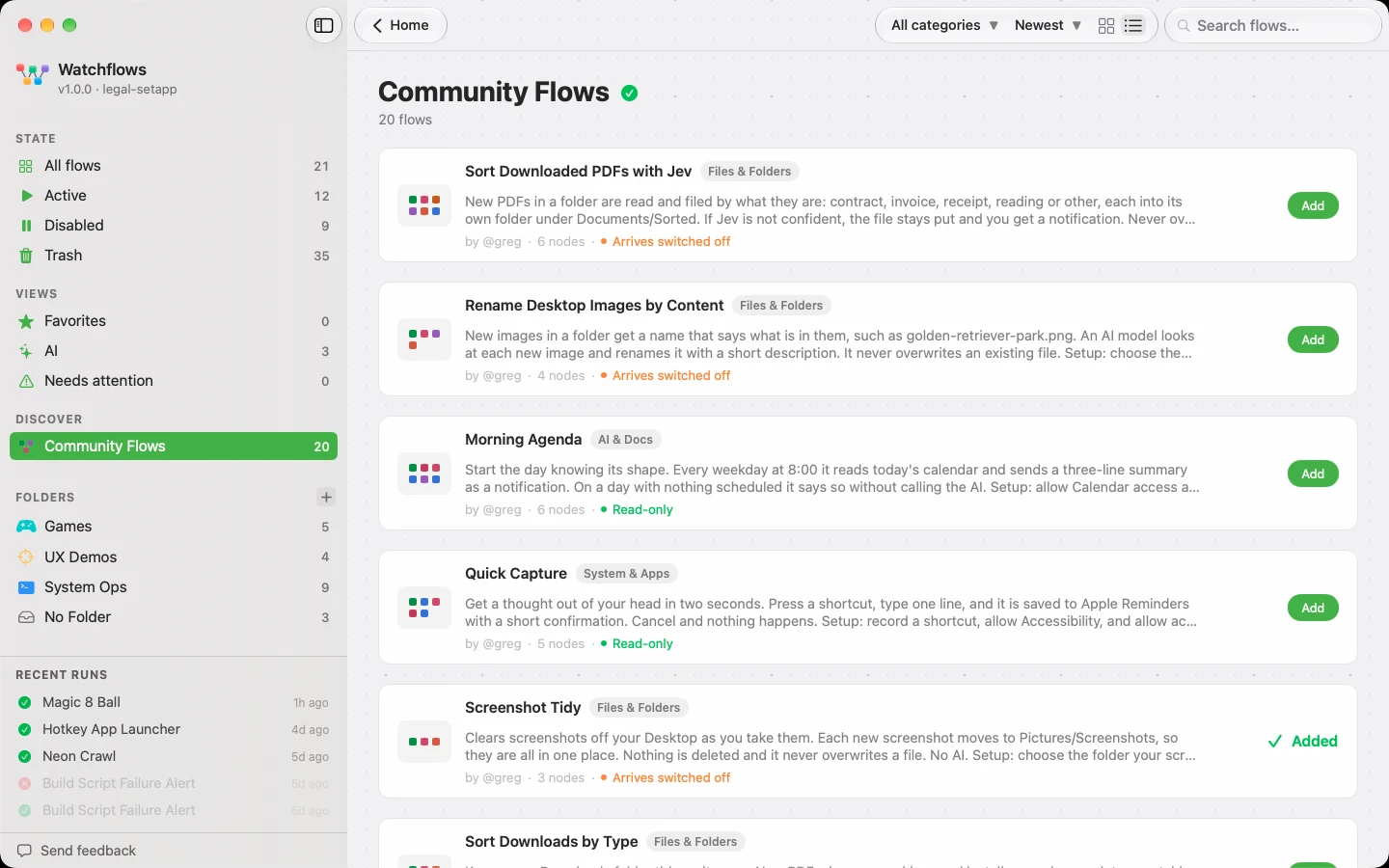
The header holds search, All categories and a sort (Newest or Name, A to Z), plus a card/table switch that is remembered between visits. The category menu lists only categories holding something, with counts.
The newest flow leads with its picture. Every card carries a row of beads — one per node, in run order — the description, the category, a safety line and the author, with Add at rest. The table view is the same flow as a row: the beads become a tile, the name gets the width, and the node count joins the author.
A flow's page
Clicking a card or a row opens the flow's own page, read from the flow itself rather than from what its author wrote. Its picture sits beside the description, with the facts underneath: Runs when, You'll set up, It can and It never. How it works tells the flow as numbered steps; See the whole flow unfolds every node in the order it runs. Add sits above one line saying what pressing it will do.
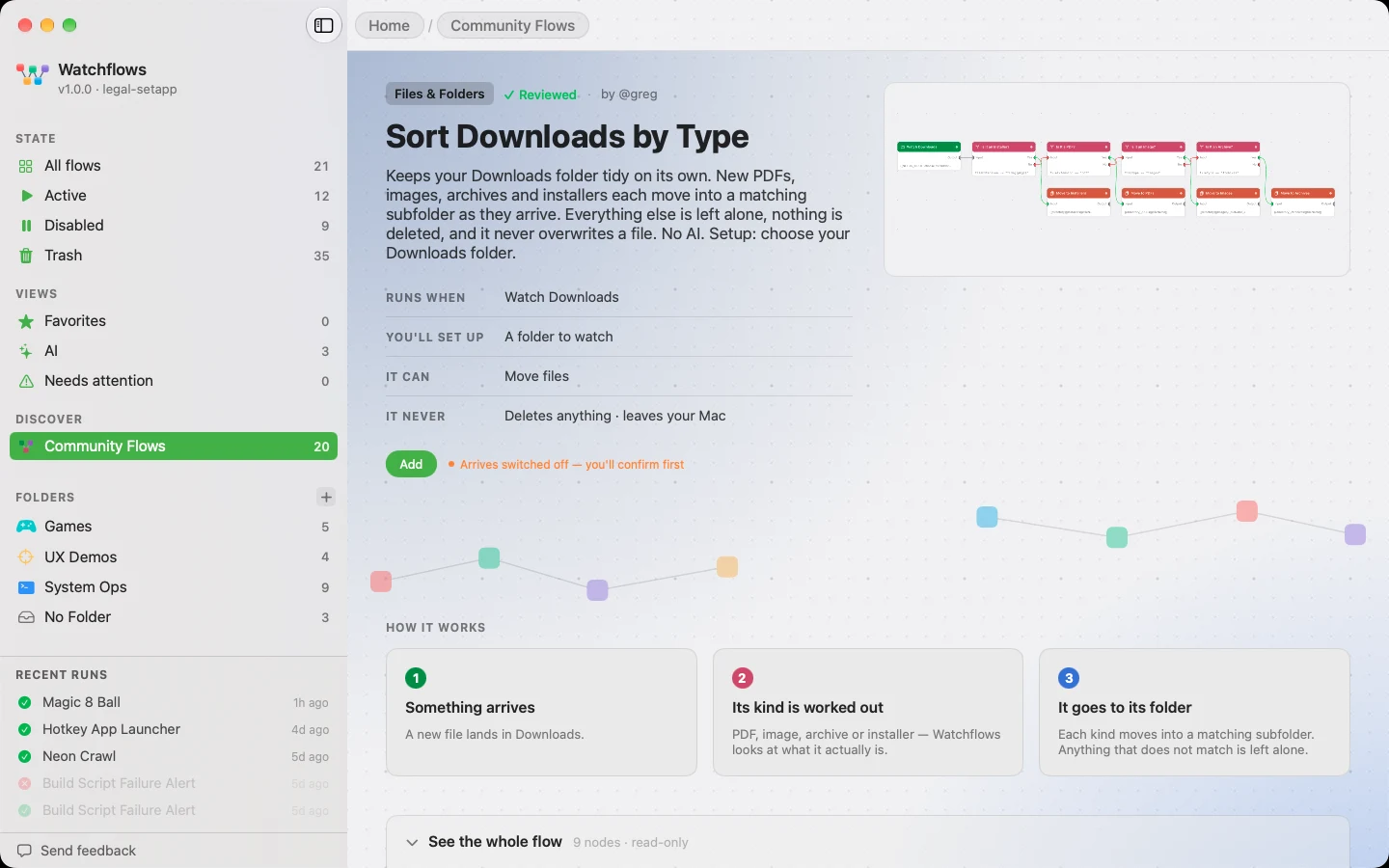
The breadcrumb at the top steps back to the grid, and so does Esc; Esc again goes Home.
How a flow arrives
| Safety | What Add does |
|---|---|
| Read-only | Arrives enabled, ready to run |
| Can modify your Mac | Names what it can change, asks you to confirm, arrives switched off |
| Arrives switched off | The same, for a script or destructive node Watchflows found itself |
AI nodes run on your provider. The sharer's provider and model never travel with a flow; each added AI node uses your default from Settings ▸ AI Providers.
Removing one is an ordinary delete. It moves the flow to Trash, where you can restore it. Nothing was installed, so there is nothing to uninstall.
The catalog ships with the app. A flow shared after your last update appears once you install the next release; until then the live catalog is at watchflows.app/community.