Two doors, one catalog
Opposite Your Flows sits a search field with Browse all on its trailing edge. Both reach one catalog, baked into the app, so searching, previewing and installing work offline. Every entry was secret-scanned, capability-checked and read by a person first — see Community Flows.
Typing drops up to five results, each reading by @author · N nodes · Category · N installs. ↑ and ↓ walk them; ⏎ opens the highlighted one's Sneak Peek and never installs. Install on a row installs it there. Esc closes the list, then releases the field.
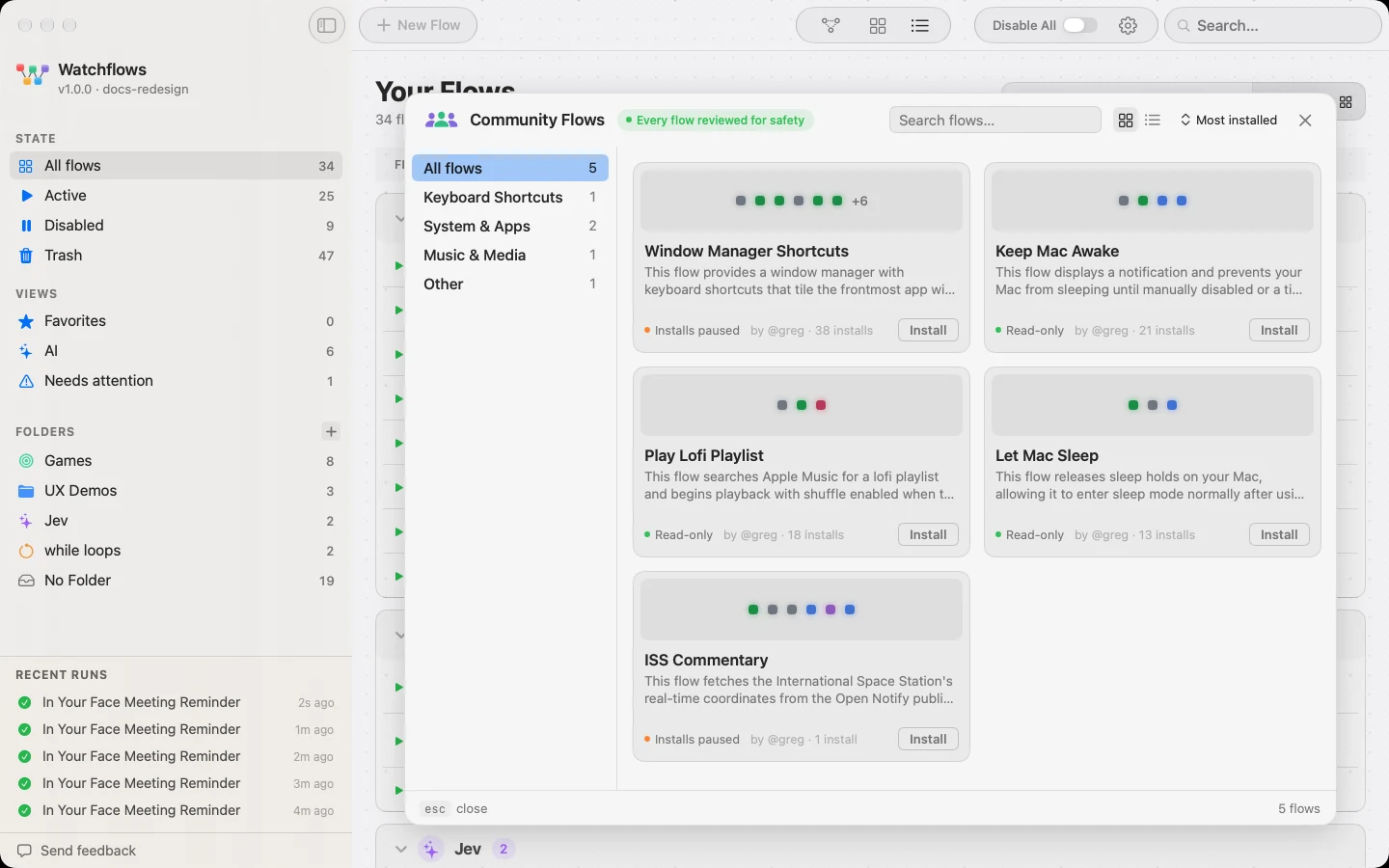
The gallery
A rail lists All flows and each category holding something, with counts. The header carries its own search, a sort (Most installed or Newest) and a card/table switch that is remembered. Cards show the description, a strip of beads — one per node, in run order — the safety headline, the author and the install count. Table rows read Flow · Pipeline · Safety · Installs and expand in place.
Sneak Peek
One flow's full page, read from the flow itself rather than from what its author wrote: Trigger, Needs and Safety as a strip, then every node in the order it runs. A flow with no trigger says so; so does one that needs no integration. Install sits above one line saying what pressing it will do. Esc steps back to the list; Esc again closes the gallery.
How installs land
| Safety | What Install does |
|---|---|
| Read-only | Installs enabled, ready to run |
| Can modify your Mac | Names what it can change, asks you to confirm, arrives switched off |
| Installs paused | The same, for a script or destructive node Watchflows found itself |
AI nodes run on your provider. The sharer's provider and model never travel with a flow; each installed AI node uses your default from Settings ▸ AI Providers.
Uninstalling is an ordinary delete. It moves the flow to Trash, where you can restore it.
The catalog ships with the app. A flow shared after your last update appears once you install the next release; until then the live catalog is at watchflows.app/community.