Field Notes
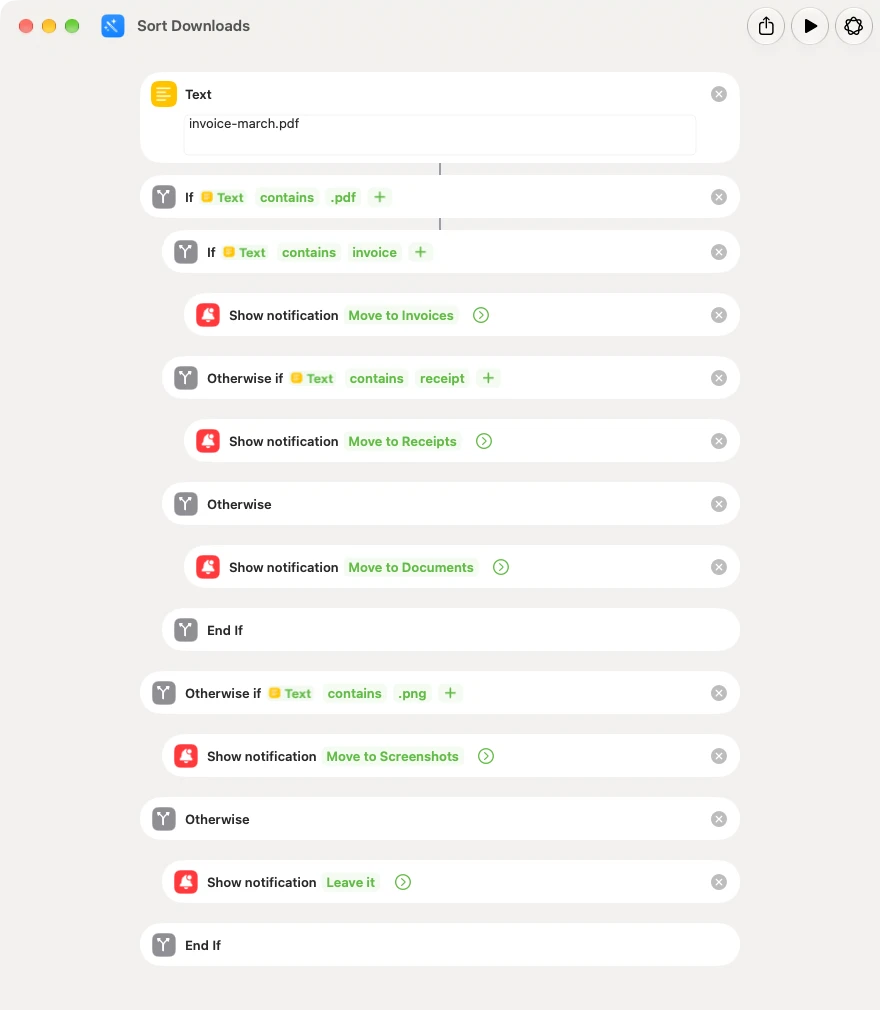
Mac Shortcuts limitations: what it still can't do in macOS 27
macOS 27 fixed a lot in Shortcuts. Six limits are left, from no run history to no webhooks. I tested each one, with screenshots, and say where it matters.
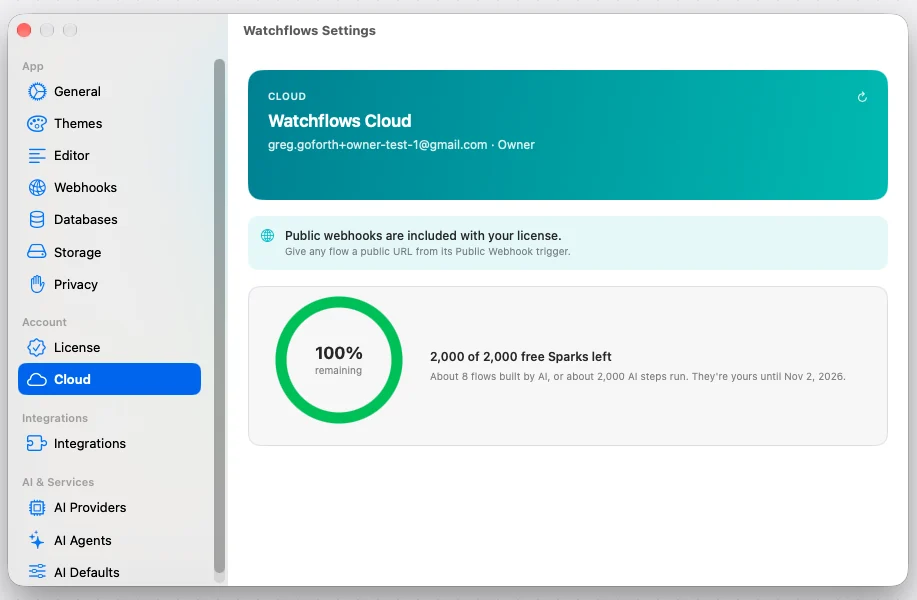
One Cloud plan, and the webhook relay now comes with the license
Watchflows 1.55 retires two plans and the owner trial. There is one Cloud plan at $12, the public webhook relay is part of the $49 license, and Spark packs need no subscription.
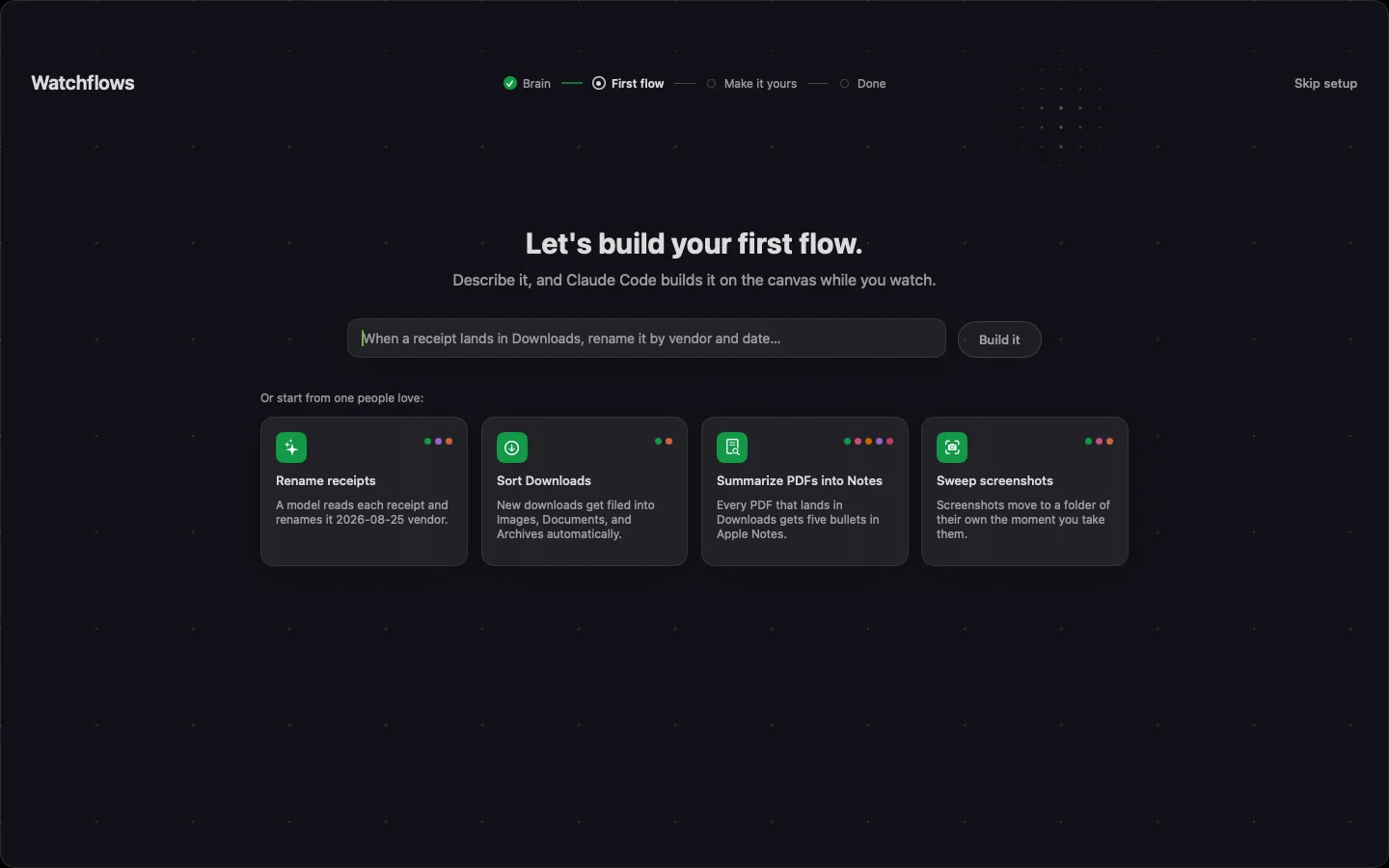
The new first run skips the Mac automation learning curve
Watchflows used to start you on a blank canvas. The new first run finds the AI on your Mac, builds a flow with it, and runs it once on a real file.
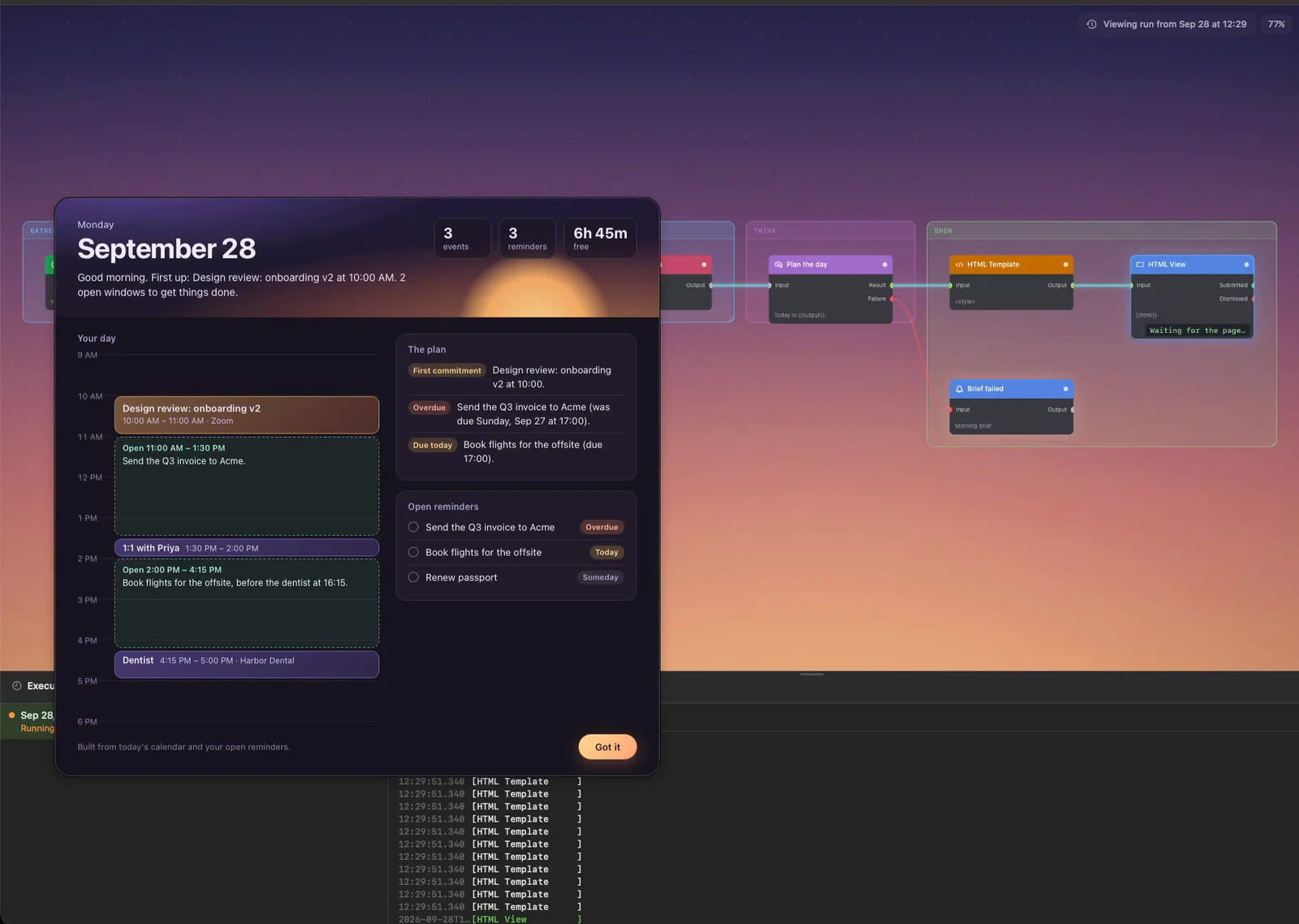
An AI morning brief from your Mac calendar and reminders
An AI morning brief on your Mac: every weekday at 8:30 it reads today's calendar and open reminders and lays out your whole day on one page.
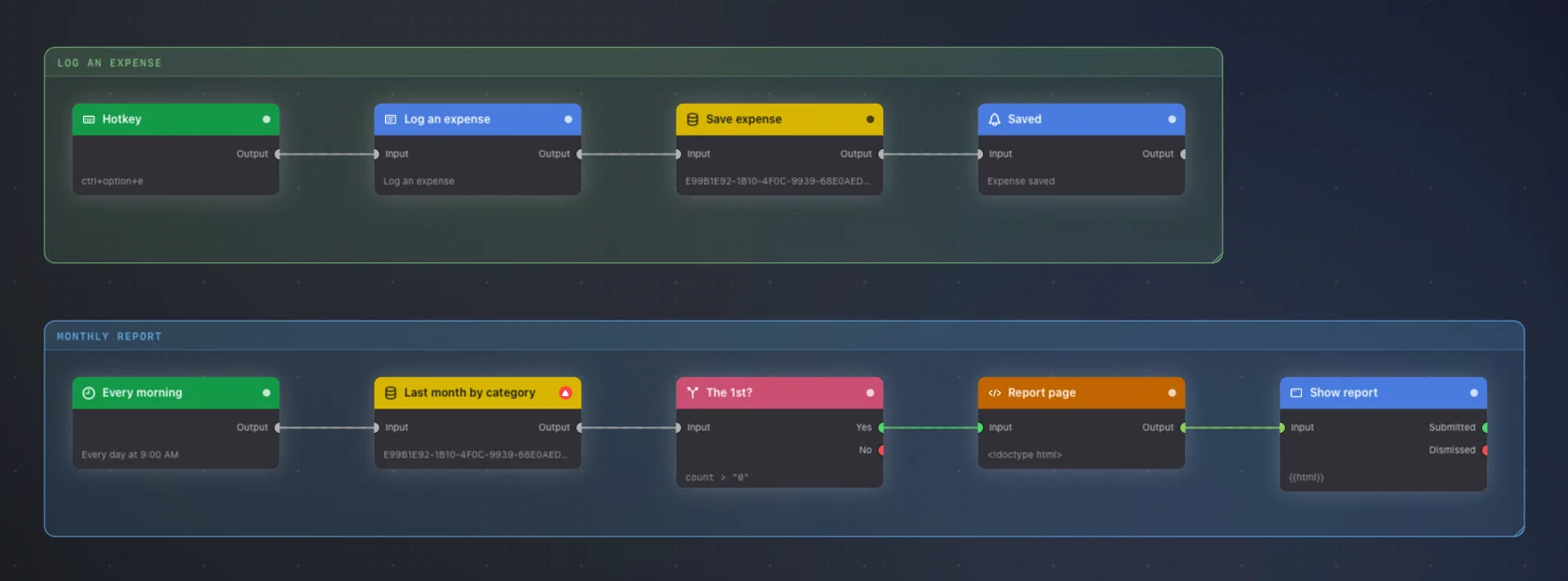
An expense tracker on a Mac hotkey, with a monthly total
A spreadsheet is fine until you have to open it. This expense tracker floats a form on Control-Option-E, saves it to SQLite, and totals last month on the 1st.
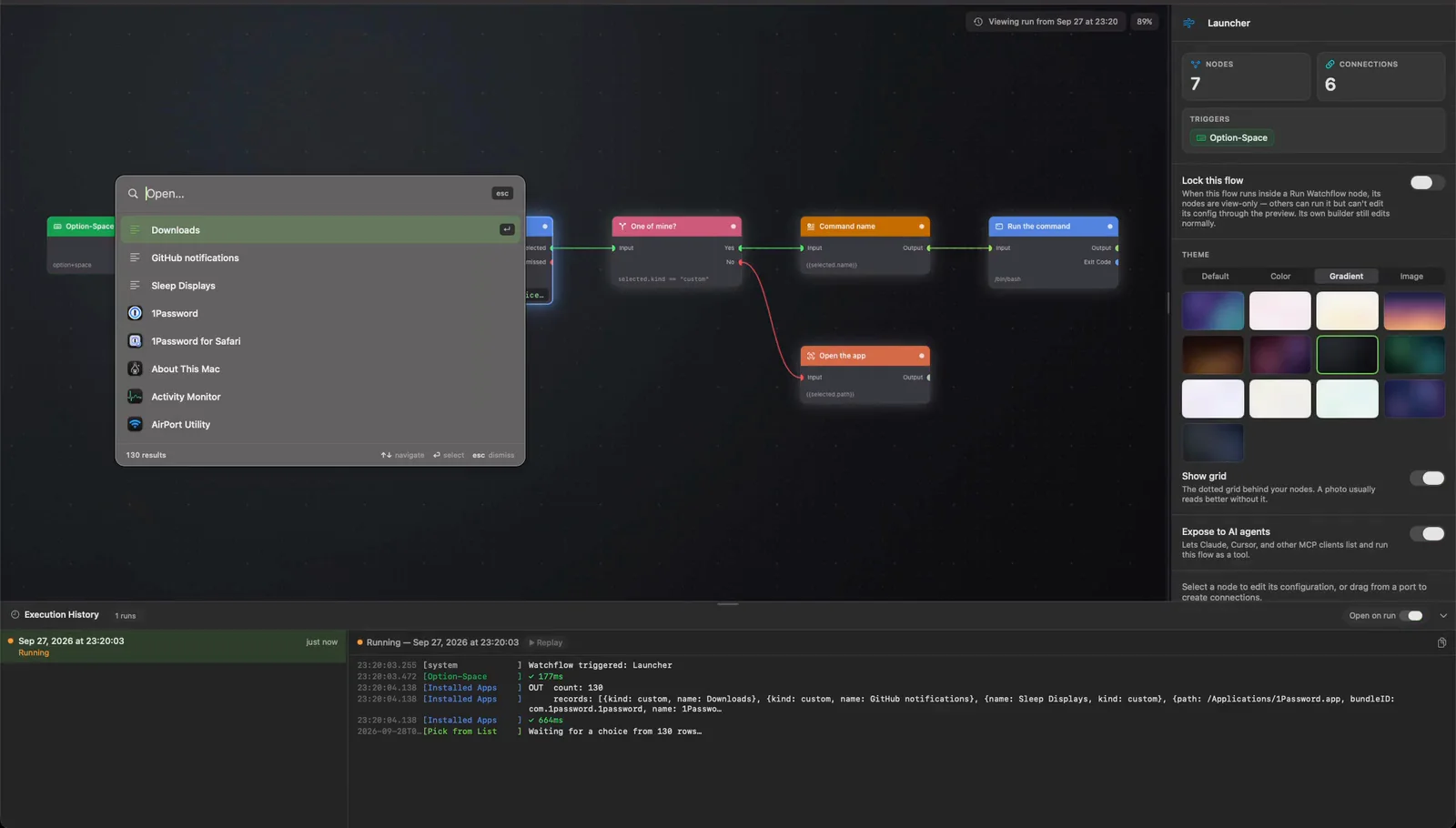
A Raycast alternative with your own commands in it
A launcher mostly opens apps, plus a few personal commands. This Raycast alternative puts both in one Option-Space chooser you can read top to bottom.
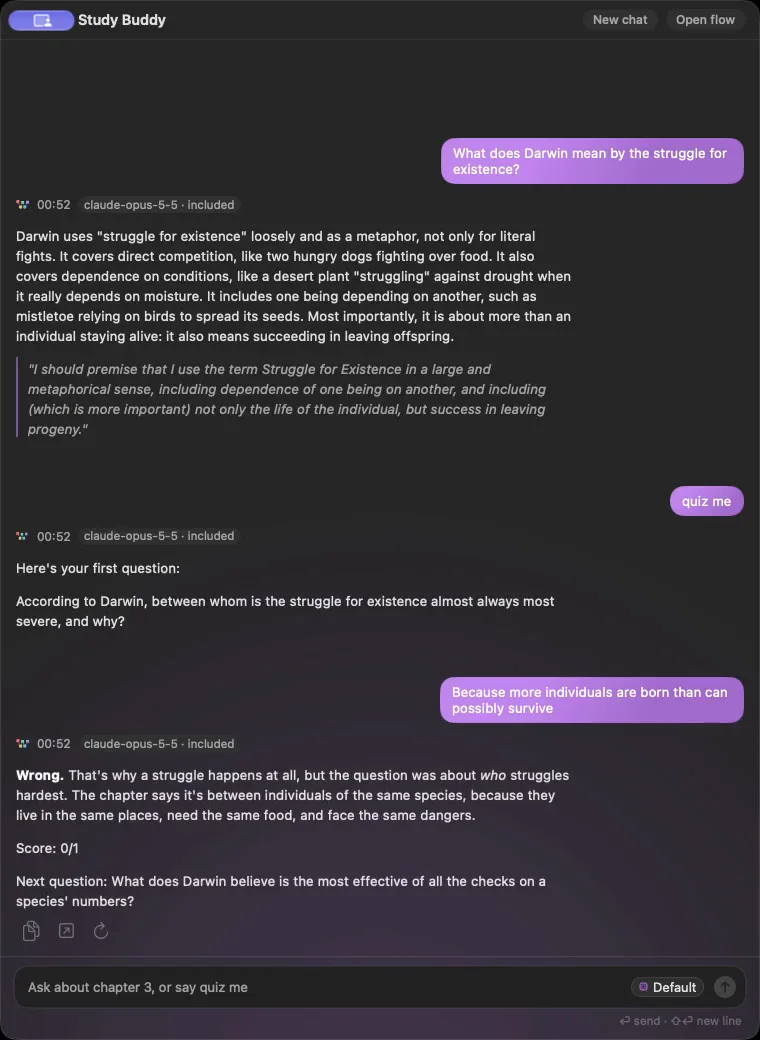
An AI study buddy on your Mac that quizzes you on your notes
A hotkey opens a chat that reads your chapter PDF, explains any part of it you ask about, and quizzes you one question at a time, keeping score.
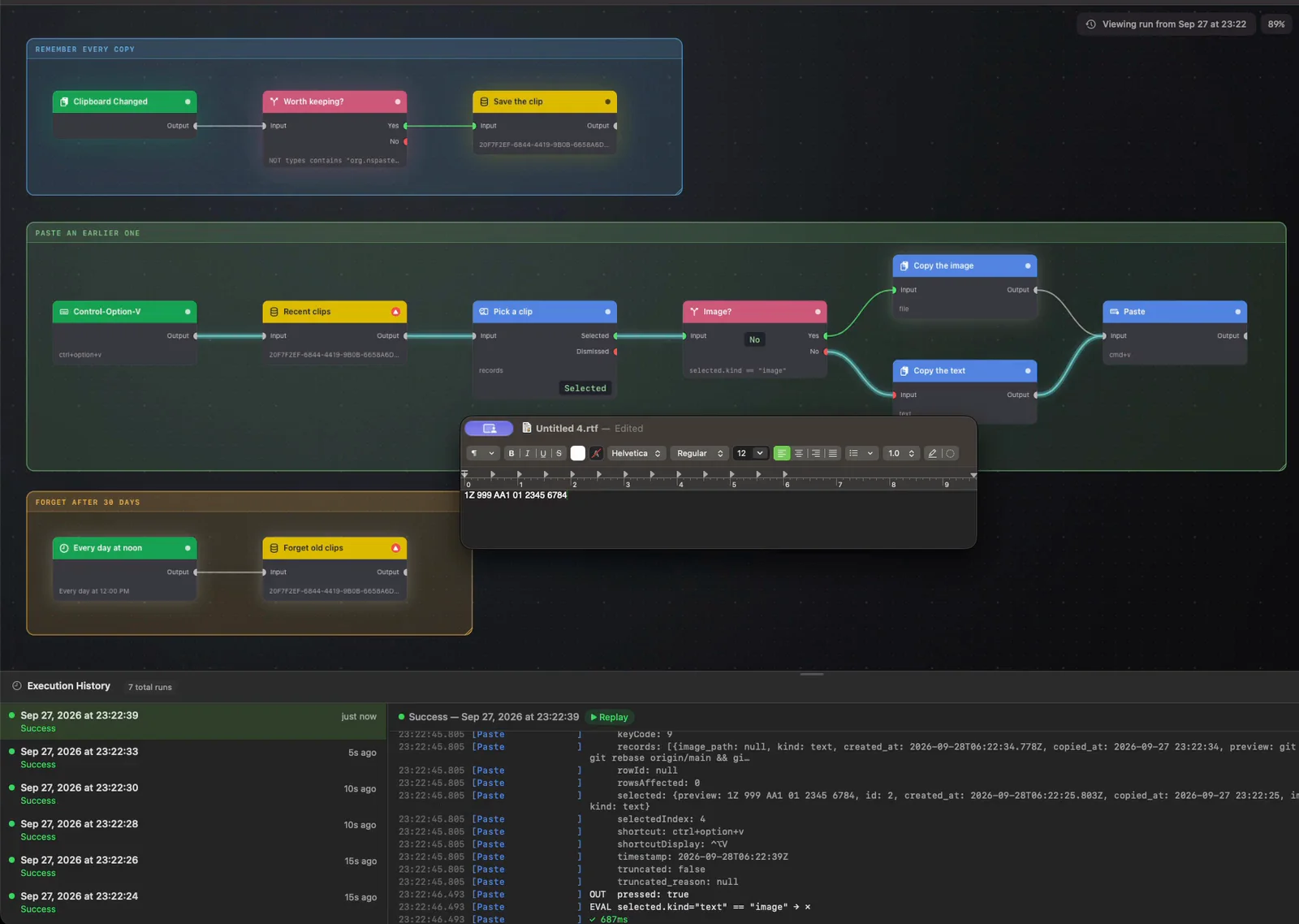
A Mac clipboard history in a SQLite file you own
macOS remembers one copy at a time. This clipboard history for Mac saves every copy to a local database, skips passwords, and pastes old ones from a hotkey.
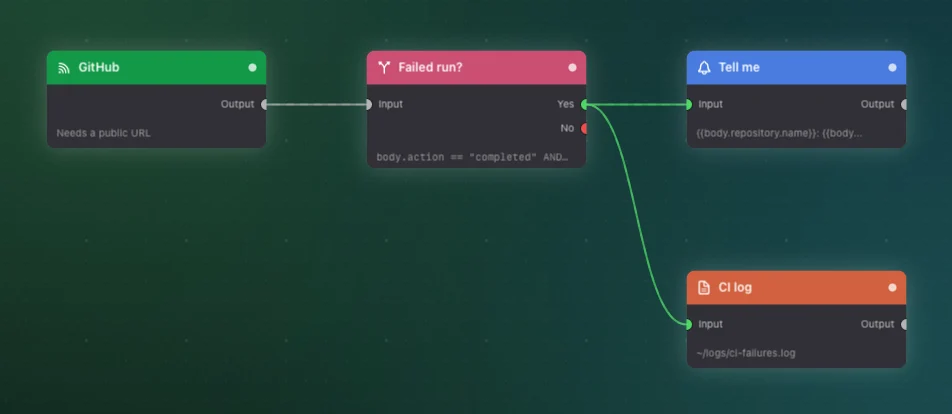
Receive GitHub webhooks on your Mac without port forwarding
GitHub webhooks cannot reach a Mac on home Wi-Fi. The hooks.watchflows.app relay can, with no port forwarding or tunnel, and it is how we ship our own releases.
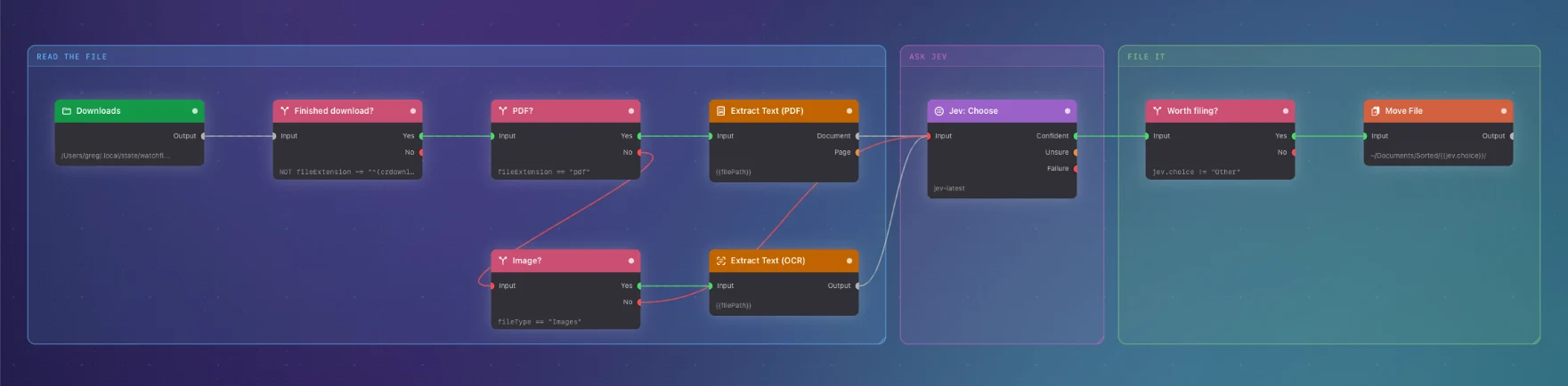
Sort your Mac Downloads folder by what each file is
An invoice and a research paper are both .pdf. This flow reads each new download, asks Jev what it is, and sorts your Downloads folder only when Jev is sure.
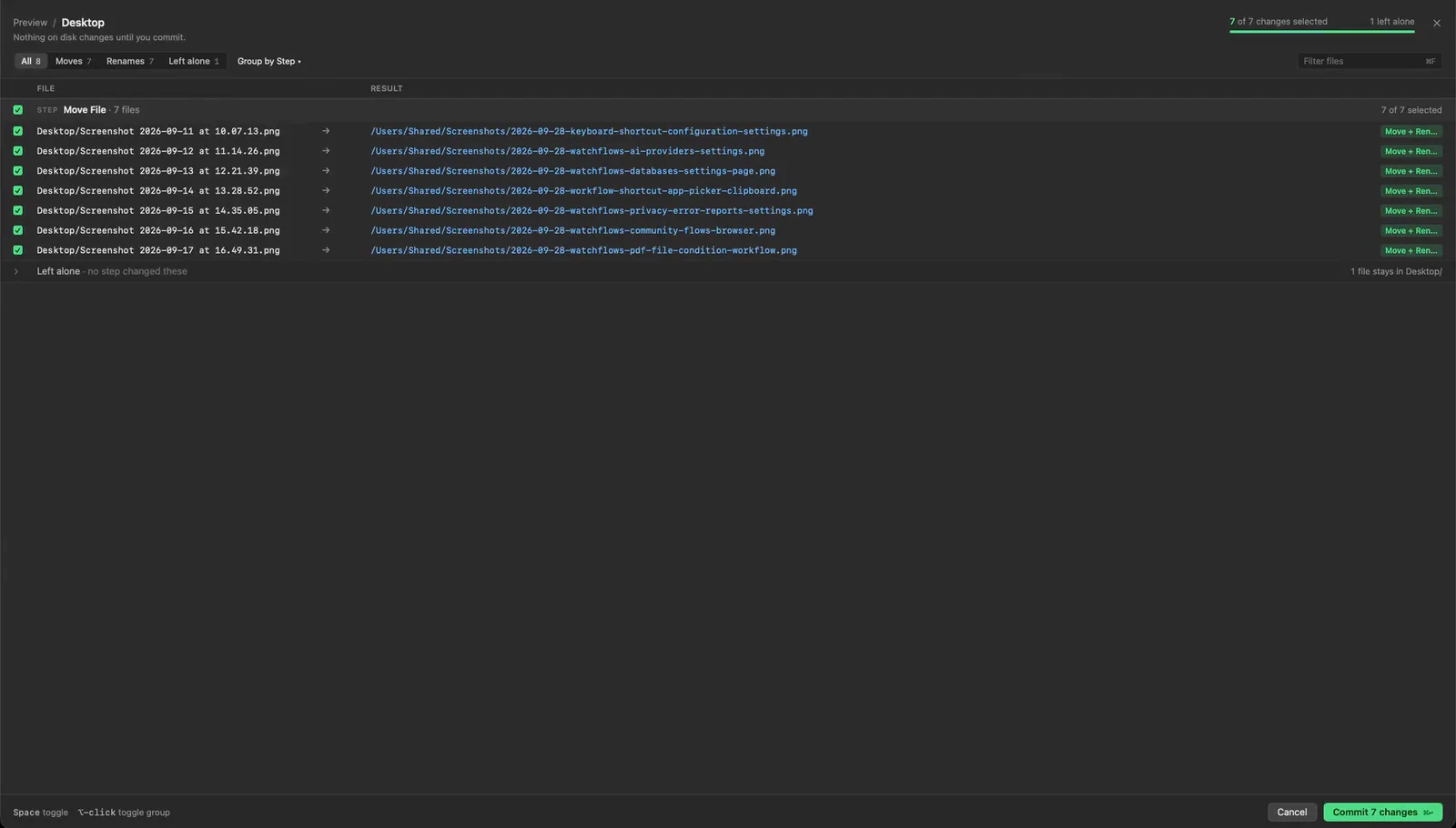
Rename Mac screenshots automatically by what they show
macOS names a screenshot after the second you took it. This flow reads each new one, renames it by what it shows, and files it in ~/Pictures/Screenshots.
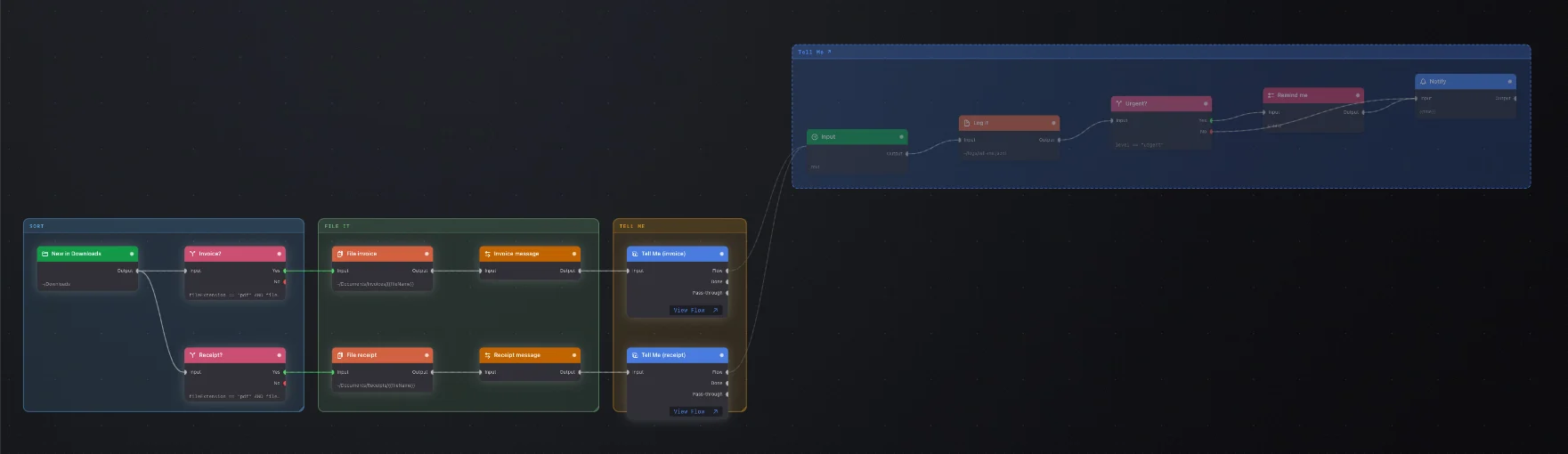
Call one alert workflow from every other flow
A dozen flows each ended with their own copy of "notify me and log it". Now each one calls a shared workflow with Run Watchflow, and alerts change in one place.
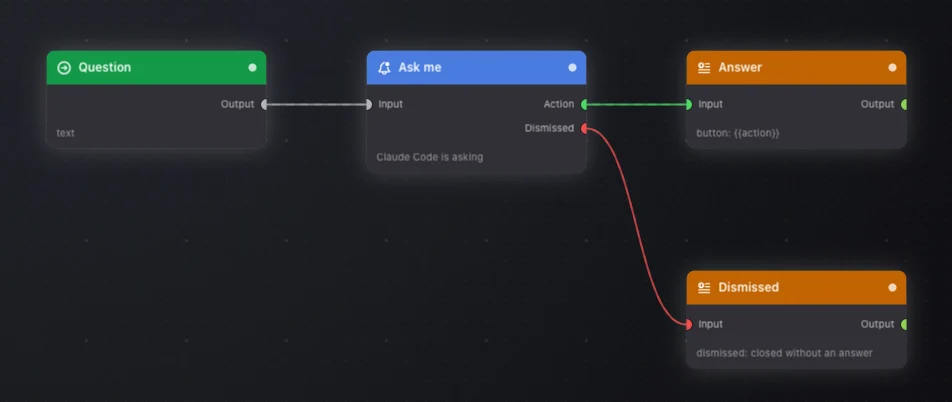
Let Claude Code ask you a question in a Mac notification
Claude Code stops to ask a question and waits in a terminal you are not watching. One Watchflows flow, exposed over MCP, asks you in a Mac notification instead.
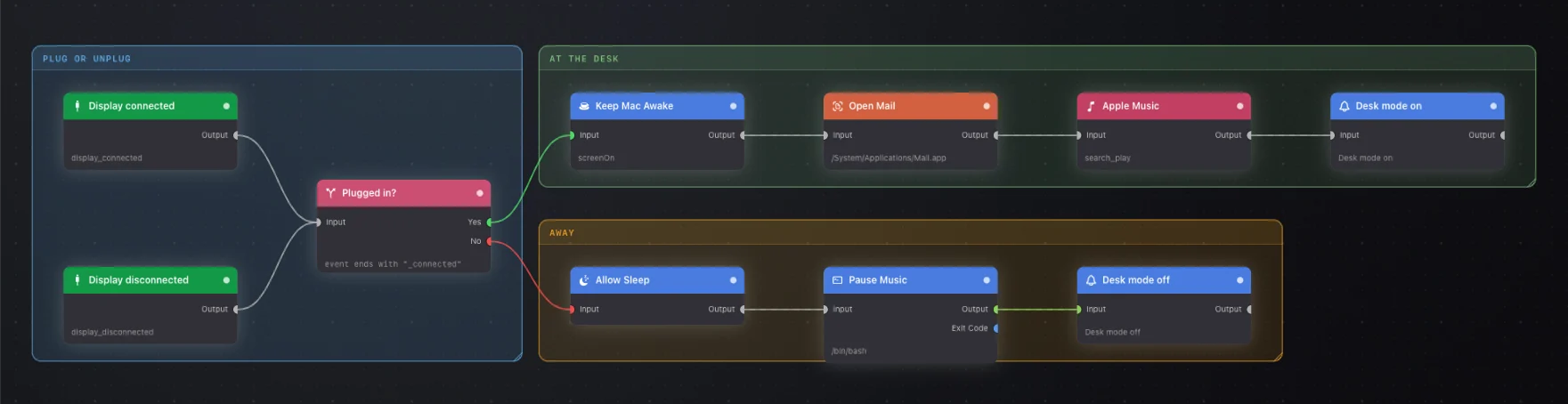
Set up your Mac for work when you plug in a monitor
Plug a monitor into your Mac and it starts your music, opens Mail and keeps the screen awake. Unplug it and the music pauses and the Mac can sleep again.